
TNA+
Anthem Sports & Entertainment Inc.Entertainment
3.5600.00 Reviews
- Version
- Varies With Device
- Installs
- 100.00K
- Age Rating
- Teen
Screenshots
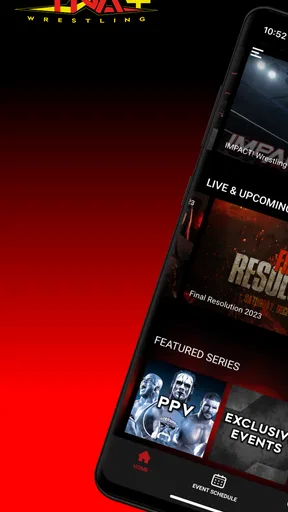
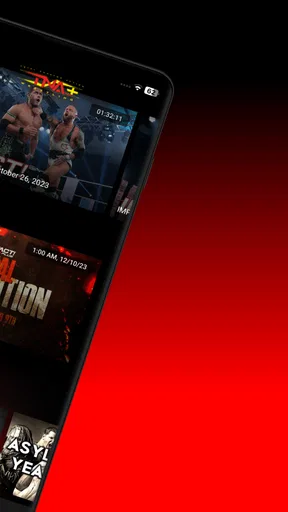
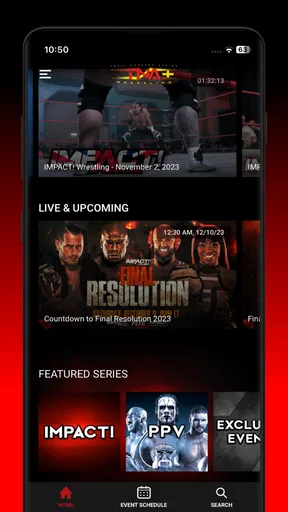
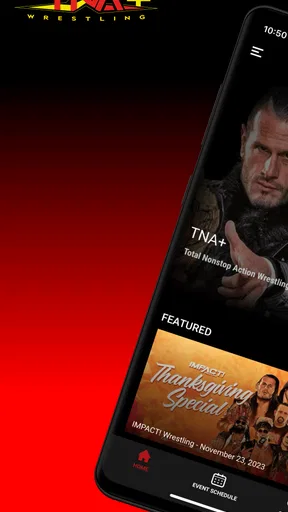
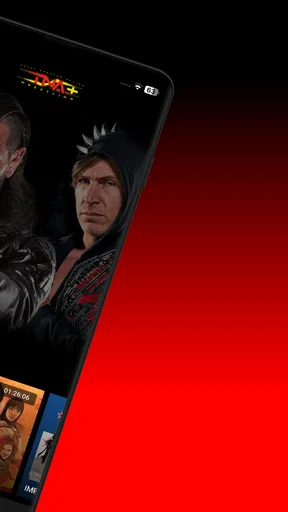
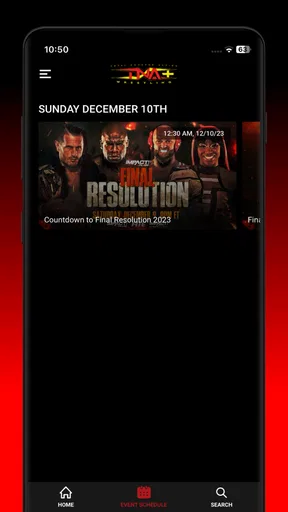
Our Review of TNA+
 Analysis by Appyee
When I want wrestling available without planning my evening around a live broadcast, TNA+ is the app I reach for first. It is an entertainment app from Anthem Sports & Entertainment Inc. built around wrestling video, and its main appeal is simple: it gives fans a direct place to explore a large amount of TNA-related programming instead of relying on scattered clips or whatever happens to appear on a general video service. I found it most useful when I already knew what kind of wrestling I wanted to watch and needed a convenient way to settle into a longer session.
The experience is not completely frictionless, though. The average rating sits at 3.5 from around 2 thousand ratings, which feels consistent with an app that offers a strong niche library but may not satisfy everyone equally. Dedicated fans can get real value from the catalog, while casual viewers may find the amount of material difficult to navigate or may prefer a broader streaming service with more varied entertainment. My recommendation depends heavily on whether wrestling is something you actively seek out or merely watch when it happens to be on.
How I use TNA+ for a dependable wrestling routine
My basic workflow starts with a clear intention rather than opening the app and scrolling aimlessly. If I have a particular event, wrestler, era, or type of match in mind, I search or browse with that goal. This matters because a wrestling-focused library can feel much larger than it first appears. Going in with a plan makes the service feel like a personal archive instead of an endless shelf where I keep postponing the actual viewing.
A realistic everyday use case is a quiet weekend afternoon. I might have an hour before going out, open the app, and choose a complete event or a small selection of matches instead of starting a random program. On another day, I may use it as background entertainment while doing something routine at home. The value is that I can choose between a focused viewing session and a shorter return visit, depending on the time I have available.
The app is free to install, but that should not be confused with unlimited access at no cost. It includes in-app purchases ranging from $7.99 to $219.99 per item, so I would check the purchase screen carefully before committing. The right question is not simply whether the download is free; it is whether the available access model matches how often I expect to watch. Someone who watches wrestling every week will judge the value differently from someone who only wants to revisit a few memorable bouts.
I also appreciate that the app is aimed at a defined audience rather than trying to be everything for everyone. Its content rating is Teen, which makes it more suitable for older viewers and families who are already comfortable with wrestling entertainment. I would still treat the rating as a starting point, not a substitute for personal judgment, particularly when children are using a shared device.
Finding a viewing rhythm instead of chasing the whole catalog
One habit that improved my experience was separating “watch now” choices from “maybe later” choices. When I open the service with no decision made, the temptation is to keep browsing. A better approach is to choose one event or viewing block, start it promptly, and save the rest of my curiosity for another session. This is a small behavioral change, but it makes the app feel faster and prevents the library from becoming a source of decision fatigue.
I also avoid judging the service after a single search. Wrestling catalogs reward repeated visits because my interests change: one day I want a full event, another day I want a particular performer, and sometimes I simply want something familiar. The app works best as a recurring destination, not as a one-time download used to sample a few videos and forgotten afterward.
For viewers who follow wrestling closely, the service can replace a patchwork routine involving social clips, general video platforms, and occasional television schedules. Those alternatives are often convenient for discovery, but they do not provide the same focused feeling. Short clips are good for finding a moment; TNA+ is more useful when I want to spend time with wrestling as the main activity.
Settings and account choices worth checking before settling in
I would begin by checking the app’s playback and account-related options before starting a long session. The exact choices available can depend on the device and current app version, so I would not assume that every phone or tablet presents the same controls. What matters in practice is confirming how playback behaves, whether the account is signed in correctly, and whether the purchase path is clearly understood before I start watching.
This is especially important on a shared television or family tablet. I prefer to establish whose account is active before browsing deeply, because a confusing account state can turn a simple viewing session into an unnecessary billing or access problem. I also make sure the device is connected reliably before starting a longer program. A wrestling event is much more enjoyable when I am not repeatedly stopping to troubleshoot a weak connection.
The app supports devices using Android 7.0 or newer, which gives it a reasonably broad reach among Android users. That does not guarantee identical performance on every device, since older hardware can still affect loading and playback comfort. If the phone is aging, I would close other demanding apps, keep the operating system in a stable state, and test a shorter video before committing to a full event.
Another useful check is how I want to watch: with headphones for private viewing, through the phone speaker for a quick session, or on a larger screen if my setup supports it. I prefer deciding this before I begin because wrestling depends heavily on commentary, crowd reaction, and impact sounds. A poor audio setup can make an otherwise good session feel flat, particularly when I am watching in a noisy room.
Making purchases with a deliberate plan
The broad range of possible in-app purchase amounts makes it worth slowing down at the payment stage. I would read the wording on the purchase screen, confirm which account is being charged, and avoid treating a large access option as automatically better value. A heavy viewer may be comfortable with a broader commitment, but a casual fan should compare that cost with the number of sessions they realistically expect to watch.
I would also avoid purchasing while distracted. It is easy to tap through a familiar mobile payment flow and only later realize that the selected option was not the one intended. My practical rule is to pause at the final confirmation, identify the exact item, and ask whether it supports my actual viewing habit. That is more useful than making a decision based only on the promise of a large catalog.
Because the app has a Teen rating, I would be particularly careful on devices used by younger family members. Keeping purchase decisions with the account holder is sensible, and I would not hand over a logged-in device without first checking what can be accessed or selected. This is ordinary account hygiene, but it matters more when entertainment apps place paid options close to the viewing experience.
Faster patterns for regular viewers
The fastest way to use TNA+ is to create a repeatable starting routine. I open it, decide whether I want a complete event or a shorter selection, and then use search or browsing only long enough to reach that choice. This is more efficient than treating the home screen as a destination in itself. The recommendation is simple: use the front page to orient yourself, not to spend the entire evening deciding.
For a weekly habit, I would choose a regular viewing window and keep the same basic sequence each time. For example, I might watch one longer program on the weekend and use shorter visits during the week. A routine like this helps me judge the service fairly because I can see whether I am actually using the access I paid for rather than imagining that I will eventually explore everything.
Another effective pattern is to pair the app with a personal note on my phone. I can write down the names of events or matches I want to revisit, then search for them directly during the next session. This is not a special TNA+ feature; it is a simple workaround for keeping my own priorities visible. It becomes particularly useful when the catalog offers more possibilities than I have time to investigate in one sitting.
I also recommend resisting the urge to watch every item in chronological order unless that is genuinely how you enjoy wrestling. A complete historical journey can be rewarding, but it demands patience and regular time. If I only have brief windows available, selecting highlights or specific events gives me more satisfaction. The trade-off is that I may lose some context, so viewers who care about story progression should choose a more structured path.
Using the app for discovery without losing focus
TNA+ is at its best when discovery supports viewing rather than replacing it. I may browse when I want to find something unfamiliar, but I set a personal limit: once I have found a promising option, I start watching. This avoids a common streaming problem where the search process becomes the main activity. Wrestling fans who already know their preferences will benefit from this discipline more than from endlessly comparing thumbnails.
For a newcomer, I would begin with a well-known event or a concise selection rather than attempting to understand the entire library immediately. The goal is to learn whether the presentation, commentary, pacing, and style suit you. If the first session works, then it makes sense to explore more deeply. If it does not, a huge catalog will not automatically solve the mismatch.
The app can also work well for shared viewing, but expectations should be agreed on first. One person may want a full event, while another may only want a few matches. I find that choosing a stopping point in advance prevents the session from becoming too long for everyone. This is a small compromise, yet it makes the service easier to recommend to households with different levels of wrestling enthusiasm.
Where the experience reaches its limits
The biggest limitation is focus. TNA+ is designed around wrestling, so it is not a replacement for a general entertainment subscription. If I want films, broad television programming, or a large mix of sports, I would choose a wider platform instead. This app makes sense when the narrow subject is the reason I am opening it, not when I am looking for a single service to cover every kind of entertainment.
Navigation can also require patience. A deep catalog is valuable, but it can make the first decision harder, especially for people who do not already know the names of events or performers they want. I would not recommend the app to someone who expects an effortless, algorithm-led experience with a small number of obvious choices. It rewards curiosity and repeat use more than it rewards complete simplicity.
There is also a practical difference between wanting a quick clip and wanting a full wrestling session. A general video platform may be faster when I only need a short highlight or a particular moment. TNA+ becomes the better choice when I want a dedicated wrestling environment and enough time to watch properly. Choosing the wrong tool for the length of the session is one of the easiest ways to come away disappointed.
Performance expectations should remain realistic on older phones. The minimum Android requirement is 7.0, but meeting that requirement does not mean every device will feel equally smooth. Screen size, speaker quality, network stability, and available storage all affect comfort. I would test the app on the device I actually plan to use rather than assuming that a good experience on one screen will transfer perfectly to another.
The rating of 3.5 is another reason I would approach it with balanced expectations. It suggests a mixed overall reaction rather than universal approval. In my view, that makes sense for a specialized service with paid options and a catalog that may appeal strongly to one audience while feeling limited to another. The app is not failing simply because it is specialized, but specialization means the value is personal.
Who should choose another option
I would skip TNA+ if I rarely watch wrestling, dislike browsing through a focused archive, or mainly want short clips. In those situations, a free general video platform or a broader entertainment service may be more convenient. I would also hesitate if I am unwilling to monitor in-app purchases carefully, since the free installation does not tell the whole cost story.
On the other hand, I would recommend trying it to someone who regularly follows TNA programming, enjoys revisiting wrestling, and prefers a dedicated place for longer viewing. The app is especially appealing to fans who want to build a personal routine rather than wait for whatever happens to appear on television or in a general recommendation feed.
My verdict after using it as a wrestling-first service
TNA+ succeeds because it understands a specific viewing need: sometimes I do not want a general streaming menu, I want wrestling and enough of it to make a proper session worthwhile. Its free installation, Teen rating, and support for Android 7.0 or newer make it approachable, while the paid options mean I need to examine the access choice instead of assuming the whole experience is free.
The service has attracted over 100 thousand installs and lists around 600 reviews, which reflects a real audience without making it feel like a universal entertainment solution. I see it as a focused tool for fans, not a platform I would recommend to everyone. Its strengths appear when I use a repeatable search-and-watch routine, check account and purchase details first, and choose viewing goals that fit the time I actually have.
Anthem Sports & Entertainment Inc. released the app on October 10, 2017, and its identity remains clear: this is a dedicated home for wrestling entertainment rather than a general-purpose video app. I would give it a chance if TNA is already part of my regular interests. If I am only mildly curious, I would start cautiously, explore the available viewing path, and decide based on whether the catalog earns a place in my routine.
My final opinion is positive but specific: choose TNA+ for focused wrestling access, not for variety outside wrestling. Experienced users will get the most from it by planning sessions, using direct searches, and treating purchases as a deliberate decision. Casual viewers may be happier elsewhere, but for the right fan, this app can turn scattered interest into a reliable and enjoyable wrestling habit.
Verdict
Strengths of TNA+
- Live access to TNA wrestling events and original programming
- Includes replays and on-demand content for flexible viewing
- Supports watching on compatible phones, tablets, and streaming devices
- Useful for fans who want TNA content in one dedicated app
- Regular wrestling content keeps the library active and engaging
Limitations of TNA+
- Availability and content may vary depending on your country
- A subscription may be required for premium events and videos
- Some live streams can experience buffering during busy events
- The app focuses mainly on TNA, with limited non-wrestling content
- Older devices may have compatibility or performance issues
Similar Picks in This Category
View All
Google Play Games
Google LLC3.9

Netflix
Netflix, Inc.4.8

YouTube Kids
Google LLC4.2

Disney+
Disney4.4

Prime Video
Amazon Mobile LLC4.7

Steam
Valve Corporation3.2
Frequently Asked Questions
What is TNA+ and what can I watch on it?
TNA+ is the official streaming service for fans of Total Nonstop Action Wrestling. After installing the app and signing in, users can access live and on-demand wrestling content, including selected TNA events, weekly programming, matches, special shows, and a library of past footage. The exact selection may vary depending on your subscription plan and location.
Is TNA+ free to download and use?
The TNA+ app can generally be downloaded without charge, but most premium wrestling content requires a paid subscription or event purchase. Depending on the available plan, you may receive access to live programming, replays, exclusive content, or pay-per-view events. Before subscribing, check the current pricing, billing terms, and included features shown in your region.
Which devices and platforms support TNA+?
TNA+ is designed for viewing on supported Android and iOS mobile devices, while access may also be available through compatible web browsers, smart televisions, streaming devices, or other platforms. Compatibility can change over time and may depend on your operating system version. It is best to confirm that your device is supported before downloading or subscribing.
Can I watch TNA+ live, or is the content only available on demand?
TNA+ may offer both live streaming and on-demand viewing, depending on the program, event, subscription tier, and regional rights. Live broadcasts are useful for following wrestling events as they happen, while replays allow you to watch later when convenient. Availability, start times, replay duration, and access restrictions can differ by country and event.
Does TNA+ work in every country, and are there any viewing restrictions?
TNA+ availability and content rights can vary significantly by country. Some users may find that certain live events, shows, or archived matches are unavailable because of regional broadcasting agreements. The app may also require a stable internet connection and an account with a valid payment method for premium access. Review local availability and subscription conditions before downloading.
